
Find a theme that feels like your map
A quiet street plan and a luminous night map can tell very different stories about the same place. Start with what you want to notice first: the roads, the landscape, a route or a few words of your own.
Choose the treatment before the palette
Cartivale has 27 themes and 143 styles. A theme sets the artistic treatment; a style is a starting variation within it. For example, Watercolor uses painted washes, while Ocean and Autumn bring different colour relationships to that treatment. Some styles also vary the material effect, so compare the previews rather than colour names alone.
- Frame a place available in the editor and choose your intended artwork size.
- Open Style, select a theme and try a few of its styles on the same view.
- Adjust colours and geographic layers once the overall direction feels right. Changing themes gives you a fresh starting treatment; save fine adjustments for the theme you settle on.
What should the map feel like?
Minimal keeps the geography calm and easy to read. Monochrome Line Art relies more closely on a single ink-like line language, while Blueprint brings a drafting character. These are useful starting points when a route, a building pattern or your text should lead the composition.
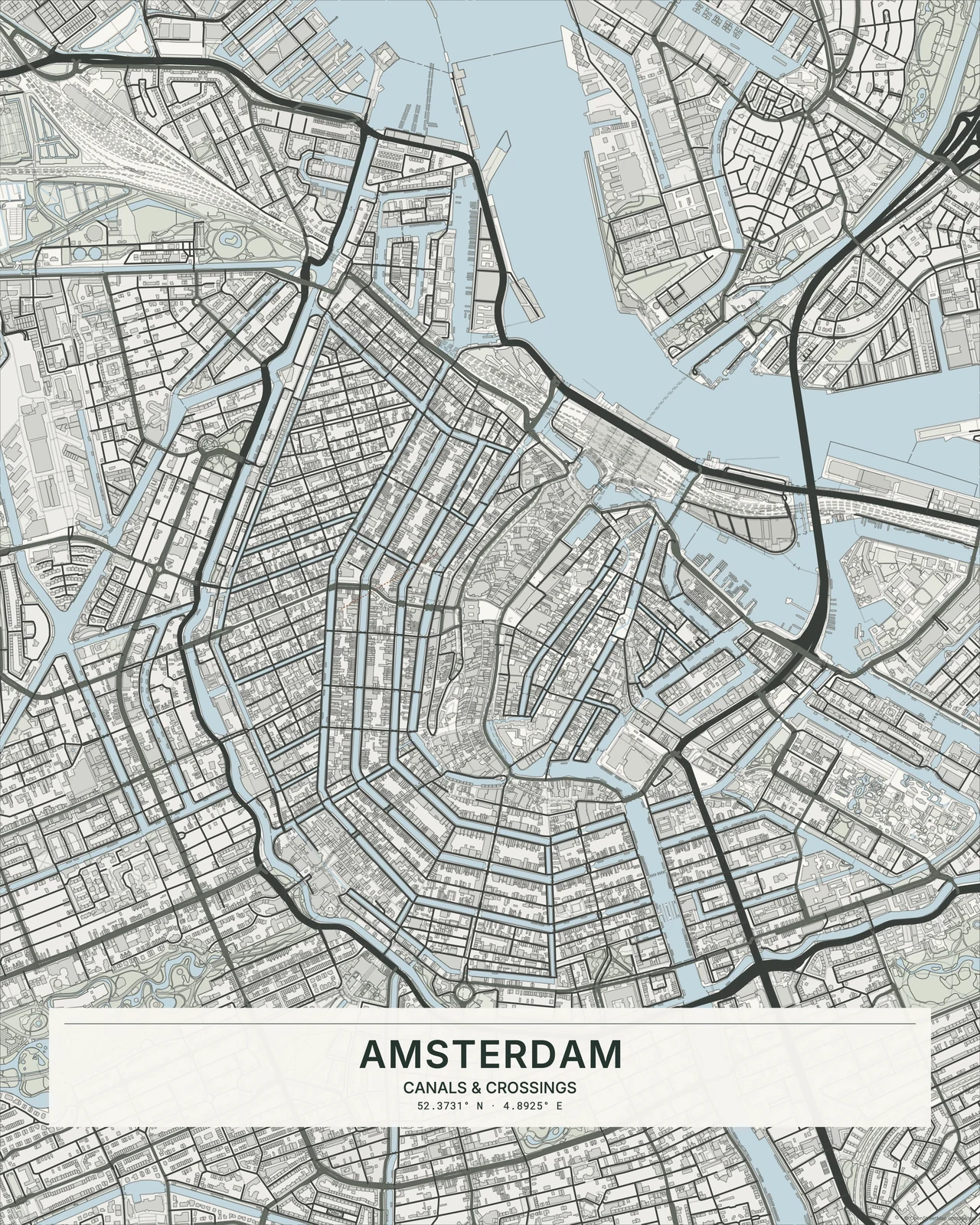
© OpenStreetMap contributors
Watercolor brings translucent washes and paper texture. Japanese Ink puts more emphasis on brush-like ink lines and open space; Charcoal is softer and more smudged. For a printed feel, compare the bold outlines of Comic, the regular dots of Ben-Day Dots and the offset spot inks of Risograph.
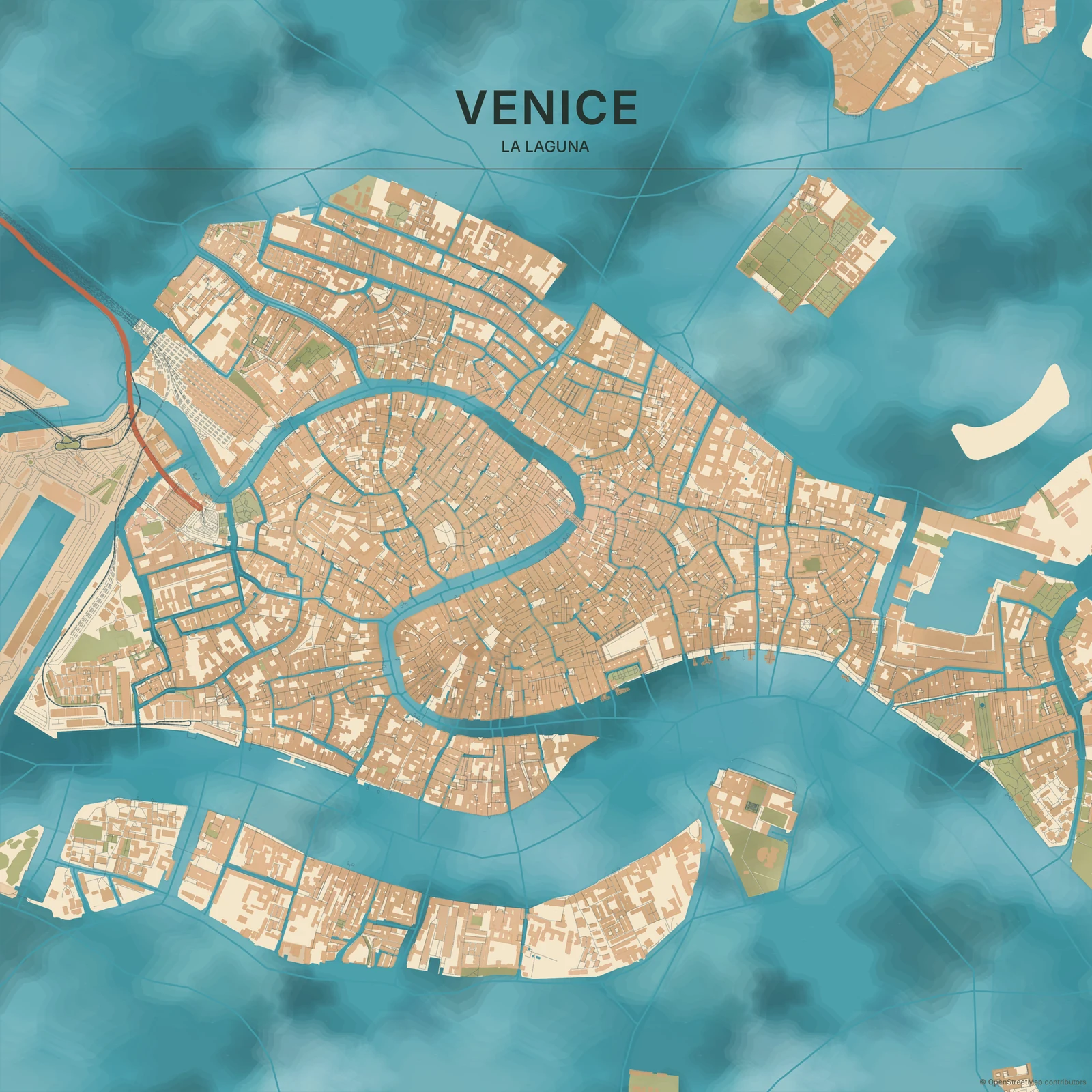
© OpenStreetMap contributors
Dark uses a dark canvas without making everything glow. Neon is more synthetic and saturated; Night Glow uses restrained luminous lines. Night Lights suggests a city seen from above at night. It is an artistic treatment, not satellite imagery or measured lighting data.
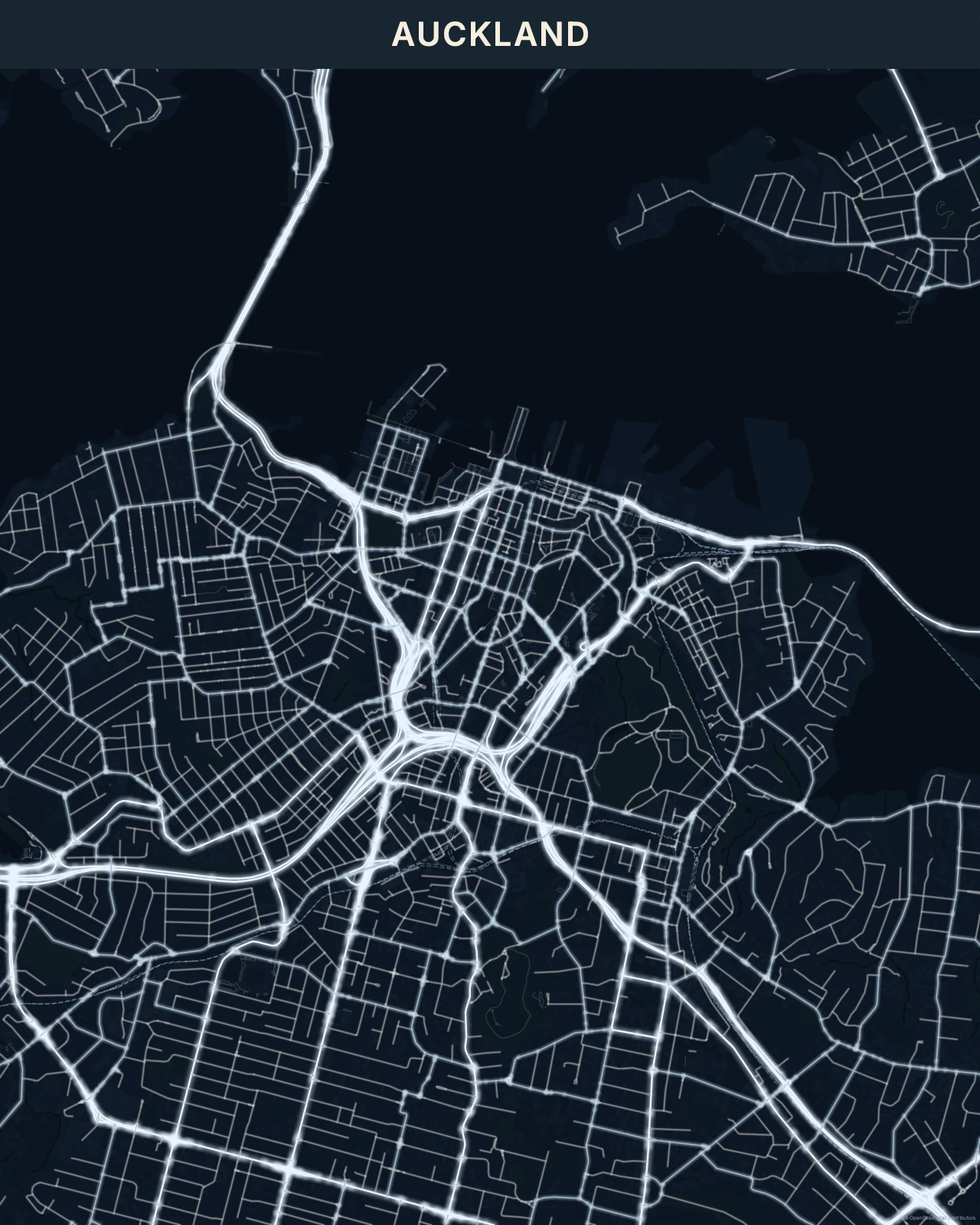
© OpenStreetMap contributors
Let the place and the room help you decide
A dense network can carry a strong graphic treatment; a more open view may benefit from paper texture or gentle colour. Paper Cut builds a layered-paper impression, while Roman Mosaic uses stone-like tesserae. Try the full map at a small size as well as close up: a texture you love in detail still needs a readable overall shape.
For a wall print, compare the background and accent colours with the room and frame. You do not need an exact colour match. A warm accent against a neutral wall can be enough. For a project with text, leave a quieter area for the words rather than squeezing them between busy roads.
Check your choice at the intended size
Add your main text, then check its contrast against both light and dark parts of the map. Use theme typography as a starting point and adjust it when the words need more room. Fine roads, small lettering and dark textures deserve a final check before you choose a download.